XCIPTV Player: Complete Guide to Using the IPTV App in 2026
XCIPTV Player is one of the best IPTV apps for watching TV channels, movies and series over the Internet. It is very popular among IPTV users thanks to its modern interface, its speed and its compatibility with many devices.
XCIPTV Player: Complete Guide to Using the IPTV App in 2026
Introduction
XCIPTV Player is one of the best IPTV apps for watching TV channels, movies and series over the Internet.
It is very popular among IPTV users thanks to its modern interface, its speed and its compatibility with many devices.
In this article, we explain how to use XCIPTV Player, how to install it and why this app is ideal for enjoying a quality IPTV streaming service.
What is XCIPTV Player?
XCIPTV Player is an IPTV app that plays IPTV playlists supplied by an IPTV service.
Unlike some streaming platforms, XCIPTV does not provide channels directly.
The app only acts as an IPTV player that organises and displays content.
Main features
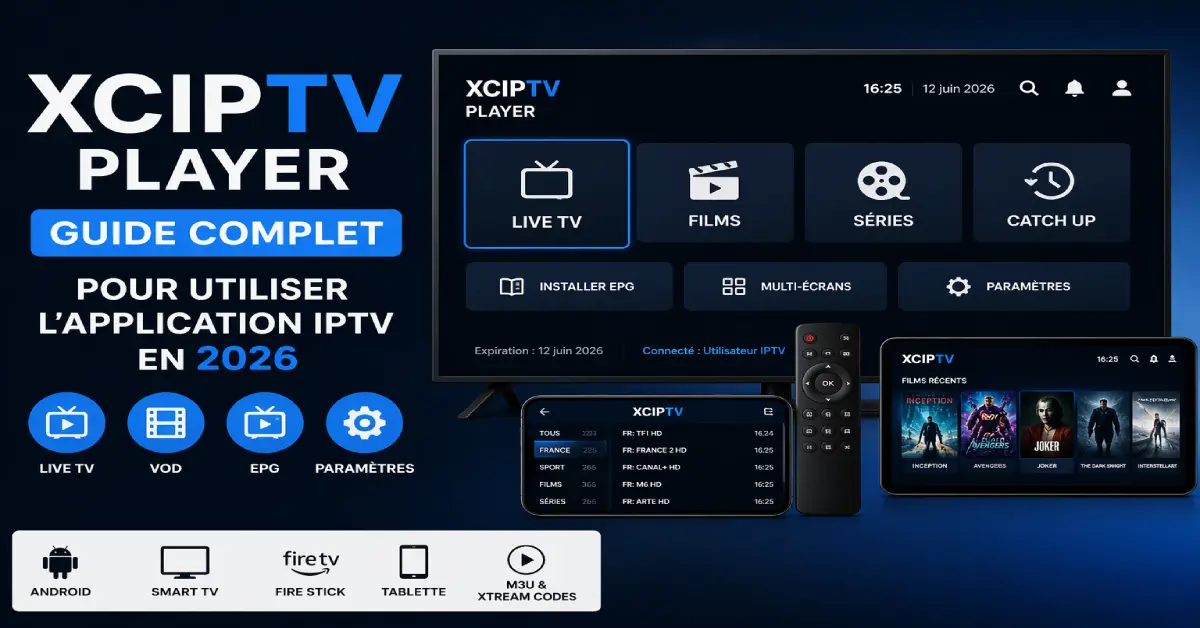
Live IPTV channel playback
Support for M3U IPTV playlists
Compatibility with Xtream Codes IPTV
Modern, fast interface
Built-in TV guide (EPG)
Support for VOD movies and series
Thanks to these features, XCIPTV is one of the most widely used IPTV apps in 2026.
Why choose XCIPTV Player for IPTV?
Simple, fast interface
The app offers an intuitive interface that makes it easy to browse between:
TV channels
movies
series
IPTV categories.
Compatible with many devices
XCIPTV Player works on:
Android TV
Smart TV
Fire TV Stick
Android smartphones
Android tablets
This means you can use IPTV on almost any device.
Stable IPTV channel playback
XCIPTV is optimised to deliver smooth IPTV streaming with less buffering.
The app supports several IPTV streaming formats such as:
M3U Playlist
Xtream Codes API
live IPTV streaming
IPTV VOD.
How to install XCIPTV Player?
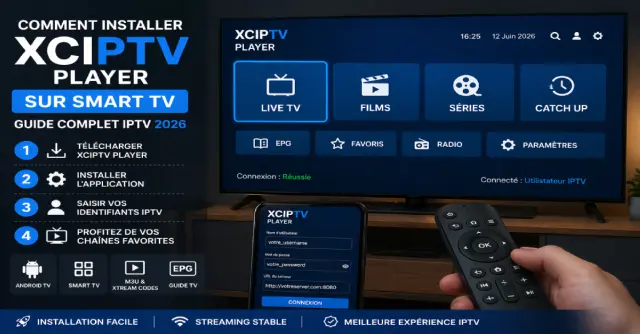
Step 1: Download the app
You can install XCIPTV Player from:
the Google Play Store on Android
an APK file on Smart TV or Fire Stick.
Step 2: Open the app
After installation, launch the XCIPTV app.
You will see an IPTV login page.
Step 3: Add your IPTV subscription
Enter the details provided by your IPTV provider:
IPTV Username
IPTV Password
Server URL
These details connect the app to the IPTV service.
Step 4: Load the IPTV channels
Once connected, the app will automatically load:
IPTV channels
VOD movies
TV series
the TV guide.
Benefits of XCIPTV Player
✔ fast IPTV app
✔ modern interface
✔ compatible with Android TV and Smart TV
✔ Xtream Codes support
✔ stable IPTV playback
✔ automatic channel organisation.
XCIPTV Player vs other IPTV apps
There are several popular IPTV apps, such as:
IPTV Smarters Pro
TiviMate
Kodi
However, XCIPTV Player remains one of the best options for users who want a simple, fast app.
Tips to improve your IPTV experience
For better IPTV streaming:
use a fast internet connection
choose a stable IPTV service
update the app regularly
use an IPTV-compatible device.
Conclusion
XCIPTV Player is an excellent way to watch IPTV on Android TV, Smart TV or smartphone.
Thanks to its compatibility with M3U IPTV and Xtream Codes IPTV and its modern interface, it offers a smooth and enjoyable IPTV streaming experience.
If you are looking for a simple, effective IPTV app, XCIPTV Player is an ideal choice.
SEO keywords used
You can add them to your meta keywords or SEO plugin:
XCIPTV Player
IPTV app
IPTV Android TV
IPTV Smart TV
IPTV streaming
IPTV M3U
Xtream Codes IPTV
IPTV player
best IPTV app
free IPTV
IPTV Fire Stick
IPTV app Android