How to Use the Smarters Player Lite App with IPTV
Welcome to this detailed guide on using the Smarters Pro app with IPTV. Whether you are new to the world of IPTV or already familiar with it...
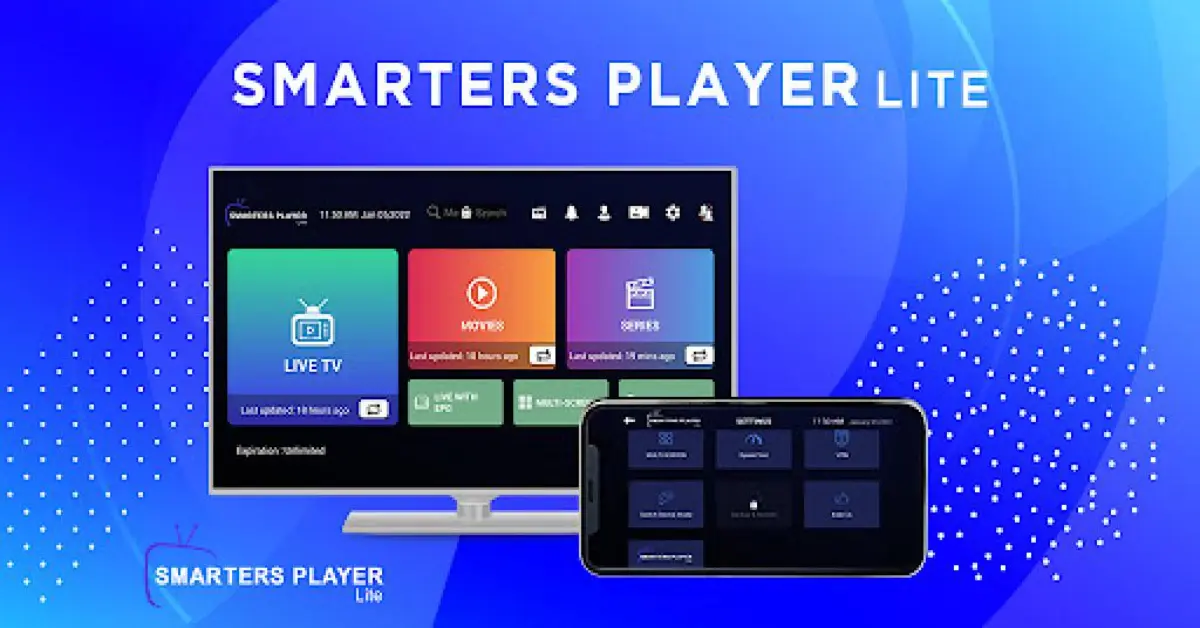
Welcome to this detailed guide on using the Smarters Pro app with IPTV. Whether you are new to the world of IPTV or already familiar with it, we explain everything step by step. We also share information about the exclusive offers available on our website, RegardezEmission.com, which provides high-quality IPTV codes and subscriptions.
Article outline
Introduction
What is IPTV?
Introducing Smarters Pro
Why Use Smarters Pro with IPTV?
Benefits of Smarters Pro
Key Features of Smarters Pro
Multi-screen Playback
EPG (Electronic Programme Guide)
Parental Control
Favourites and History
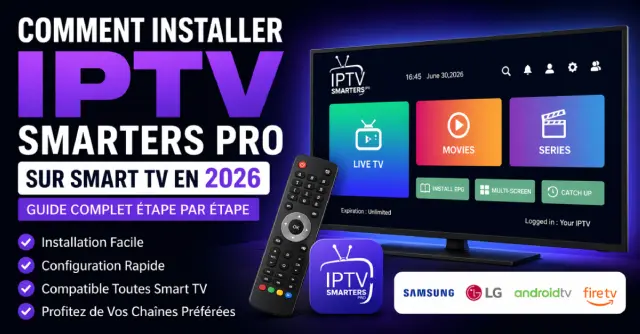
How to Download and Install Smarters Pro
Initial Setup with an IPTV Subscription
How to Enter Your IPTV Codes from RegardezEmission.com
Exclusive Offers on the 12-Month Subscription
Promotion: 12 Months + 3 Months Free!
Referral: Give Your Friends 2 Extra Months
Tips to Get the Most out of Smarters Pro
Frequently Asked Questions
Conclusion
Introduction
IPTV is revolutionising the way we watch television. No more cable or satellite: with a simple internet connection, you get access to thousands of quality channels and content. Smarters Pro is one of the most popular IPTV apps thanks to its simplicity and features.
What is IPTV?
IPTV, or Internet Protocol Television, broadcasts TV content over the Internet. Unlike traditional methods, IPTV works through online streams, giving you great flexibility in how you consume content.
Introducing Smarters Pro
Smarters Pro is an intuitive app that lets you play your IPTV streams on a wide range of platforms (Android, iOS, Windows, etc.). It is designed specifically for IPTV subscribers, offering a pleasant interface and comprehensive features.
Why Use Smarters Pro with IPTV?
The Smarters Pro app makes IPTV easy to access with a smooth user experience. Thanks to its advanced features, you can easily browse between channels, add favourites and much more.
Benefits of Smarters Pro
Cross-platform compatibility
Intuitive, easy-to-use interface
Parental control features
Electronic programme guide (EPG) support
Key Features of Smarters Pro
Multi-screen Playback
Smarters Pro lets you watch several streams at the same time, ideal for following several programmes.
EPG (Electronic Programme Guide)
The EPG gives you an overview of current and upcoming programmes for each channel.
Parental Control
Manage what your children can watch with the built-in parental control.
Favourites and History
Easily find your favourite programmes by adding them to your favourites, and check your viewing history.
How to Download and Install Smarters Pro
Download the app from the Google Play Store or the App Store.
Install the app by following the on-screen instructions.
Launch the app and get ready to enter your IPTV codes.
Initial Setup with an IPTV Subscription
The first time you launch it, Smarters Pro will ask you to set up an IPTV account. You will need to enter details such as the username, the server URL and the password.
How to Enter Your IPTV Codes from RegardezEmission.com
Go to our website RegardezEmission.com to get your IPTV codes.
Subscribe to a plan, then receive your codes directly by email.
Enter the codes in the Smarters Pro app to start watching immediately.
Exclusive Offers on the 12-Month Subscription
We are currently running an exclusive offer on the 12-month subscription.
Promotion: 12 Months + 3 Months Free!
For every 12-month subscription, you get 3 extra months free! Enjoy 15 months for the price of 12, a great way to make the most of your IPTV experience.
Referral: Give Your Friends 2 Extra Months
You can also get 2 extra free months by referring a friend! Here is how it works:
Share the offer with a friend.
When they subscribe to a 12-month plan, contact us on WhatsApp to validate the referral.
Receive your extra months once the subscription is confirmed.
Tips to Get the Most out of Smarters Pro
For the best experience, make sure you have a stable internet connection and use a VPN to secure your browsing.
Conclusion
By using Smarters Pro with an IPTV subscription, you transform the way you watch television. Thanks to the exclusive offers available on RegardezEmission.com, you can enjoy several free months and even give benefits to your friends. Join our community and enjoy your favourite programmes at any time.
FAQs
How do I get an IPTV code for Smarters Pro?
Go to RegardezEmission.com and subscribe to one of our plans.Is Smarters Pro compatible with all devices?
Yes, it is compatible with Android, iOS, Windows and even Smart TVs.What is the streaming quality like?
Quality depends on your connection, but we provide high-definition streams.Can I share my account with a friend?
No, each account is designed for individual use.How does the referral offer work?
You get 2 extra months for every referred friend who subscribes to a 12-month plan.