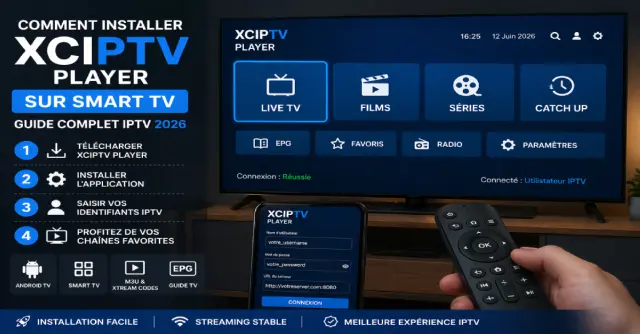
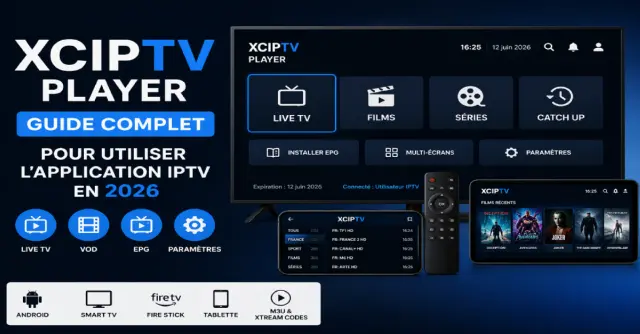
XCIPTV: Installation and Use on Android and Samsung TV - Complete Guide
Find out how to install and use XCIPTV on Android and Samsung TV with our complete guide. Troubleshooting, security and more.
Section | Subsections |
|---|---|
- Defining XCIPTV and why it matters | |
- Overview of what the article covers | |
2. What is XCIPTV? | - Origin and development of XCIPTV |
- Main features | |
3. Installing XCIPTV on Android devices | - Step 1: Prepare the device |
- Step 2: Download the APK | |
- Step 3: Install the app | |
- Step 4: Initial setup | |
4. XCIPTV Player on Samsung TV | - Compatibility with Samsung TVs |
- Installation via Smart Hub | |
- Using XCIPTV on Samsung TVs | |
5. Using XCIPTV: Main functions | - Navigating the user interface |
- Adding and organising channels | |
- Electronic programme guide (EPG) | |
- Security and parental control features | |
6. Solving common problems | - Connection problems |
- Video playback problems | |
- App updates and maintenance | |
7. Security and privacy with XCIPTV | - Protecting personal data |
- Tips for safe use | |
8. Alternatives to XCIPTV | - Other popular IPTV players |
- Feature comparison | |
9. Future outlook and development of XCIPTV | - Upcoming features |
- Trends in the IPTV industry | |
10. Conclusion | - Summary of key points |
- Final thoughts and call to action |
1. Introduction
The world of Internet television (IPTV) is evolving fast, offering users new ways to consume content. Among the many apps available, XCIPTV has become one of the most popular ways to access a wide range of TV channels and streaming content. In this article, we explore XCIPTV in detail, focusing on its installation on Android devices, its use on Samsung TVs, its main features and solutions to common problems. We also cover security, possible alternatives and the app's future outlook.
2. What is XCIPTV?
Origin and development of XCIPTV
The XCIPTV app was developed to meet growing demand for easy access to live TV and video on demand (VOD) over the Internet. This IPTV player is designed to offer a user-friendly interface and wide compatibility with various devices, especially those running Android.
Main features
XCIPTV offers a range of features that make it a popular choice among IPTV users. These include an Electronic Programme Guide (EPG), parental control and the ability to add and organise channels. The app is also optimised for smooth playback and advanced customisation options.
3. Installing XCIPTV on Android devices

Step 1: Prepare the device
Before installing XCIPTV on an Android device, you need to make sure the device is ready. This includes enabling unknown sources in the device's security settings, so apps from sources other than the Google Play Store can be installed.
Step 2: Download the APK

The XCIPTV APK file can be downloaded from the official website or other trusted sources. It is recommended to check that the source is genuine to avoid malicious versions.
Step 3: Install the app
Once the APK file has downloaded, you can install it by opening the file and following the on-screen instructions. The process is quick and simple.

Step 4: Initial setup
After installation, XCIPTV needs an initial setup. This can include adding channel playlists and customising the settings to your preferences.
4. XCIPTV Player on Samsung TV

Compatibility with Samsung TVs
Recent Samsung TVs allow certain third-party apps, including XCIPTV, to be installed through the Samsung Smart Hub.
Installation via Smart Hub
To install XCIPTV on a Samsung TV, open the Smart Hub, search for the app and follow the instructions to install it. This lets you enjoy IPTV content directly on the big screen.
Using XCIPTV on Samsung TVs

Once installed, the app can be used to browse channels, organise favourites and access the programme guide. The interface on Samsung TVs is optimised for remote-control use, making the experience smooth and enjoyable.
5. Using XCIPTV: Main functions

Navigating the user interface
The XCIPTV user interface is designed to be intuitive, with simple navigation between sections. Users can quickly find channels, organise their favourites and access the settings.
Adding and organising channels
One of the most popular features of XCIPTV is the ability to add and organise channels, letting users tailor their experience to their preferences.
Electronic programme guide (EPG)
The built-in Electronic Programme Guide (EPG) shows upcoming programmes with detailed descriptions and schedules, making it easy to plan your viewing.
Security and parental control features
For families, XCIPTV offers parental control options to restrict access to certain content based on age or sensitivity.
6. Solving common problems
Connection problems
A common problem with XCIPTV is a lost connection. This can be caused by network or server issues. Restarting the app or checking your internet connection often solves it.
Video playback problems
Video playback problems can include buffering or playback errors. These can be fixed by adjusting the stream quality or restarting the app.
App updates and maintenance
It is important to keep XCIPTV up to date to get the latest features and bug fixes. Updates can be installed automatically or manually via the APK file.
7. Security and privacy with XCIPTV
Protecting personal data
XCIPTV takes personal data protection seriously. The app does not collect unnecessary data and uses encryption to protect users' sensitive information.
Tips for safe use
It is recommended to use XCIPTV with a VPN connection for maximum privacy, especially when using playlists from external sources.
8. Alternatives to XCIPTV
Other popular IPTV players
There are several alternatives to XCIPTV, including Smart IPTV, Perfect Player and TiviMate. These apps offer similar features but with different interfaces and customisation options.
Feature comparison
Compared with its competitors, XCIPTV stands out for its simple user interface and many customisation options, making it a favourite for many users.
9. Future outlook and development of XCIPTV
Upcoming features
The XCIPTV development team is continuously adding new features to improve the user experience, such as integration with third-party services and performance improvements.
Trends in the IPTV industry
The IPTV industry is booming, with growing demand for flexible, accessible streaming services. XCIPTV is well placed to adapt to these trends thanks to its capacity for innovation.
10. Conclusion
XCIPTV is a powerful app for Internet TV fans, offering a wide range of features to improve the viewing experience. Whether on Android or a Samsung TV, XCIPTV gives easy, organised access to a multitude of channels and content. With regular updates and a growing user community, XCIPTV keeps evolving to meet its users' needs. If you are looking for a reliable, customisable IPTV solution, XCIPTV is an excellent choice.